Best books for Web Developers
A broad web-building list. It begins with HTML, CSS, JavaScript and usability. The build set adds deeper CSS, a language reference, accessibility, WordPress development, version control and security. The lead set covers professional practice in design and maintaining old code.
12 books in 3 stages, about 5,230 pages (131 hours of reading). The notes are ours, with no ratings or sales claims.
How to choose your books
A short method, so you read the right book for where you are instead of the longest list.
Find your stage
Getting started · 4 books
The web's three languages and usability: markup, style, JavaScript and designing for people.
Jump to this stage ↓Doing the job · 6 books
Professional practice: deeper CSS, a JavaScript reference, accessibility, WordPress, version control and security.
Jump to this stage ↓Senior and leading · 2 books
Running projects and inheriting old code: professional design practice and changing legacy code safely.
Jump to this stage ↓
If you are unsure, start one stage lower than you think. Books in a later stage assume the working knowledge the earlier ones give you.
Begin with one book
Our starting pick
HTML and CSS: Design and Build Websites
by Jon Duckett · 2011
It is visual and goes straight to building pages, so you get something working quickly.
See the book ↓Then pick by your situation
Choose the next book by the problem in front of you, not by its place in the list.
If you are fighting stylesheets that grew out of control
read CSS in Depth, Second Edition (doing the job)
If you build sites on WordPress
read Professional WordPress (doing the job)
If you use Git daily and want to understand it properly
read Pro Git (doing the job)
Set a time budget
| Stage | Books | Pages | Reading | At 3 hrs a week |
|---|---|---|---|---|
| Getting started | 4 | 1,950 | 49 hrs | 16 wks |
| Doing the job | 6 | 2,680 | 67 hrs | 22 wks |
| Senior and leading | 2 | 600 | 15 hrs | 5 wks |
| All 3 stages | 12 | 5,230 | 131 hrs | 44 wks |
Treat this as a ceiling, not a target. Read one book at a time, apply it, then move on; read reference-style books in sections.
Judge any book before you buy it
Age
This list runs from 1996 (JavaScript) to 2020 (Web Application Security). Older books earn their place by teaching principles that do not change. For tools and platforms, buy the latest edition.
Level
Check the stage before the title. A book from a later stage will make sense only once you have faced the problems it solves.
Format
The longest book here, Learning Web Design, runs about 750 pages. Read very long books as references: pick the chapter that matches the problem you have.
Fit
Ask what you will do differently the week after you finish. If you cannot answer, the book is for a different moment. Come back to it when the situation arrives.
Getting started
The web's three languages and usability: markup, style, JavaScript and designing for people.
 Start here
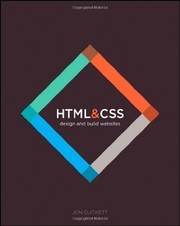
HTML and CSS: Design and Build Websites
by Jon Duckett · 2011
~510 pages~13 hrs to read
A visually laid-out introduction to markup and styling, one topic per spread. Read it in your first weeks if you learn best from pictures and short, focused pages.
View book →Learning Web Design
by Jennifer Robbins, Aaron Gustafson · 2001
~750 pages~19 hrs to read
A patient introduction to HTML, CSS, layout, images and publishing a site. Read it first if you are coming to the browser from scratch, and keep it as the gentle companion to your own first pages.
View book →
Eloquent JavaScript
by Marijn Haverbeke · 2011
~470 pages~12 hrs to read
A thorough tour of the language itself, then the browser, the DOM and Node, with exercises throughout. Read it in your first months so closures, async code and the event model stop feeling magical.
View book →
Don't Make Me Think, Revisited
by Steve Krug · 2000
~220 pages~6 hrs to read
A quick read on why users scan instead of read and how to design pages that need no explanation. Read it early so you build interfaces that people can use without a manual.
View book →
Doing the job
Professional practice: deeper CSS, a JavaScript reference, accessibility, WordPress, version control and security.
CSS in Depth, Second Edition
by Keith J. Grant · 2018
~540 pages~14 hrs to read
Explains how the cascade, specificity, layout, Grid and custom properties actually work, with worked examples. Read it once you can build a page and want to stop fighting your own stylesheets.
View book →
JavaScript: The Definitive Guide
by David Flanagan · 1996
~710 pages~18 hrs to read
A comprehensive reference to the language and the browser and Node APIs. Use it to look things up properly once you have written enough JavaScript to ask precise questions.
View book →Accessibility for Everyone
by Laura Kalbag · 2017
~170 pages~4 hrs to read
A compact guide to designing and building interfaces people with disabilities can actually use, covering vision, hearing, motor and cognitive needs. Read it before your first production feature, not after an audit.
View book →
Professional WordPress: Design and Development
by Brad Williams, David Damstra, Hal Stern · 2010
~500 pages~13 hrs to read
Covers WordPress themes, plugins, hooks, the database and the loop, aimed at developers who customise the platform. Read it when client sites start needing more than a ready-made theme.
View book →
Pro Git
by Scott Chacon, Ben Straub · 2009
~430 pages~11 hrs to read
The standard guide to Git, from commits and branches to rebasing and recovering from mistakes. Read it while you move from single-page projects to sites with history and collaborators.
View book →
Web Application Security
by Andrew Hoffman · 2020
~330 pages~8 hrs to read
Walks through common web attacks and the defences against them, including injection, cross-site scripting and request forgery, with an eye on how modern apps are built. Read it before you put real user data behind your login form.
View book →
Senior and leading
Running projects and inheriting old code: professional design practice and changing legacy code safely.

Design Is a Job
by Mike Monteiro · 2012
~140 pages~4 hrs to read
A short, blunt book on working with clients: contracts, presenting work, handling feedback and pricing. Read it when you start taking on freelance or agency projects.
View book →
Working Effectively with Legacy Code
by Michael Feathers · 2004
~460 pages~12 hrs to read
Techniques for adding tests to and safely changing code you did not write and cannot yet trust. Read it when you inherit an old site and are asked to change it without breaking it.
View book →
Book links go to Amazon and are affiliate links. As an Amazon Associate I earn from qualifying purchases.
Frequently asked questions
Which book should a Web Developer read first?
HTML and CSS: Design and Build Websites by Jon Duckett. It is visual and goes straight to building pages, so you get something working quickly.
Do I need to read all 12 books?
No. The list is a menu, not a syllabus. Find your stage (getting started: 4, doing the job: 6, senior and leading: 2), begin with one book (we suggest HTML and CSS: Design and Build Websites), then pick the next book by the problem you are facing at work. Come back to the others when the situation they cover arrives.
How long does it take to read these books?
All 12 books add up to about 5,230 pages, roughly 131 hours at 1.5 minutes a page. At three hours a week that is about 44 weeks; at six hours a week, about 22. The list is meant to be read over time, one book at a time, not in one run.
Are these books up to date?
They range from 1996 (JavaScript) to 2020 (Web Application Security). Older titles are included because they teach principles that have not changed; for tools and platforms, we favour recent editions. Check the edition before you buy.
Related reading
Some links are affiliate links: we earn a small commission if you buy, at no cost to you. It does not change what we list.